
Instagramリール動画仕様:2026年クリエイター完全ガイド
Instagramリールの動画仕様は近年大きく変わっています。2026年に高画質&規定準拠のリールをアップするために知っておくべきポイントをまとめました。
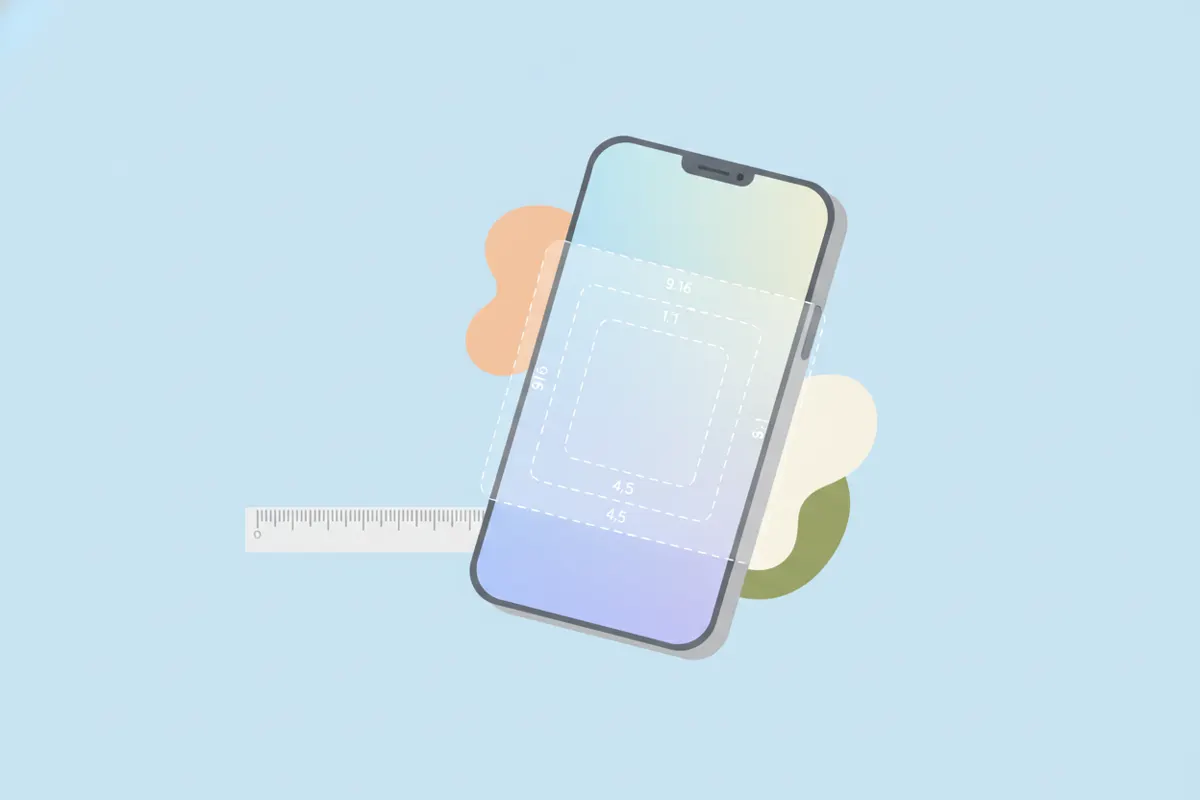
| Spec | Value |
|---|---|
| Max length | Up to 20 min recorded in the Reels camera (Instagram camera update, Nov 2025); the in-app limit was raised from 90 s to 3 min in Jan 2025 (Mosseri); Instagram Graph API caps Reels uploads at 15 min; Reels ads 0 s-15 min. Third-party guides report 20-min uploads too, but Meta's consumer help pages could not be fetched to confirm |
| Recommended length | Under 3 min - Instagram says it continues to prioritise recommending reels under 3 min, so longer reels reach fewer non-followers (Nov 2025 coverage); no official 'ideal' length published |
| Aspect ratio | 9:16 recommended (full-screen vertical); Graph API accepts 0.01:1 to 10:1 |
| Resolution | 1080x1920 (9:16) standard; Meta's Reels-ad spec recommends 1440x2560; Graph API max width 1920 px |
| Max file size | 300 MB (Graph API Reels container); 4 GB (Reels ads); the app's own cap is not published |
| Frame rate | 23-60 fps (Graph API) |
| Formats / codecs | MP4 or MOV (moov atom at front, no edit lists); video H.264 or HEVC, progressive, closed GOP, 4:2:0; audio AAC <=48 kHz, mono/stereo, 128 kbps; video bitrate <=25 Mbps VBR (Graph API) |
| Captions | Auto-generated captions available in-app via the Captions sticker in the Reels editor (rolled out March 2022; ~17 languages) and viewers can toggle CC on reels; no SRT upload for organic reels; Reels ads: captions optional but recommended. Most creators burn captions in - keep them inside Meta's safe zone |
| Safe zones | Meta ads guide for Instagram Reels: leave ~14% of the top, ~35% of the bottom and ~6% of each side free of text/logos/key creative (on 1080x1920 that is roughly 269 px top, 672 px bottom, 65 px each side) to avoid the profile icon, caption, audio and CTA overlays |
Sources: https://developers.facebook.com/docs/instagram-platform/instagram-graph-api/reference/ig-user/media · https://www.facebook.com/business/ads-guide/update/video/instagram-reels · https://www.threads.com/@mosseri/post/DE-efFqyStv · https://petapixel.com/2025/11/25/instagram-updates-camera-so-you-can-film-20-minute-reels/ · https://techcrunch.com/2022/03/01/instagram-is-rolling-out-auto-generated-captions-for-videos/. Specs change - verify in the platform's help center before a big upload.
Instagramリール:2026年の主要動画仕様
- 最大長さ:Instagramカメラ撮影は最長20分(2025年11月時点)。API経由や広告は15分まで。リーチを伸ばすには3分以内が推奨されています。
- アスペクト比:標準は9:16の縦型。全画面表示に最適です。APIでは0.01:1~10:1も可能ですが、9:16がInstagram表示に最もフィットします。
- 解像度:標準は1080x1920ピクセル。広告は最大1440x2560px推奨。APIの最大幅は1920pxです。
- ファイルサイズ:APIは300MB、広告は4GBまで。アプリ内の上限は非公開ですが、300MB以下が安全です。
- フレームレート:23~60fps(API仕様)。
- フォーマット:MP4またはMOV。H.264またはHEVC、プログレッシブスキャン、4:2:0クロマ、クローズドGOP推奨。音声はAAC(最大48kHz)、モノラルまたはステレオ128kbps。
字幕とアクセシビリティ
- Instagramアプリ内の「キャプション」スタンプで自動字幕生成(17言語以上対応)。
- オーガニックリールにはSRTファイルのアップロード不可。独自デザインの字幕は動画に焼き込みが必要です。
- 視聴者は字幕のオン/オフ切り替えが可能で、アクセシビリティにも配慮。
セーフゾーン:テキストを見やすく配置
プロフィールアイコンや字幕、CTAなどの重なりを避けるため、重要なテキストやグラフィックは以下の範囲を避けて配置しましょう:
- 上部14%(1080x1920の場合約269px)
- 下部35%(約672px)
- 左右各6%(約65px)
これで字幕や重要情報がほとんどのデバイスで隠れません。
Instagramリールに最適な動画を書き出すコツ
- 編集時に9:16(縦型)、1080x1920解像度に設定して書き出しましょう。
- フレームレートは30fps推奨(最大60fps対応)。
- ファイルサイズは300MB以下を目安に。
- 独自デザインの字幕は焼き込みで、セーフゾーン内に配置。
- VidulkのAI Clipper(iOS/Android)なら長尺動画からベストシーンを自動抽出し、InstagramリールやTikTok、YouTubeショート向けの縦型&字幕付きクリップを簡単に書き出せます。
最新仕様は必ず確認を
Instagramの仕様は随時変更されます。大きなアップロード前には、Instagramヘルプセンターや開発者向けドキュメントで最新情報を必ずご確認ください。
仕様に合わせて自動でクリップを書き出し!Vidulkなら9:16変換・字幕・長さ調整も無料で簡単(iOS/Android対応)
Vidulkよくある質問
2026年のInstagramリール動画の最大長さは?
Instagramカメラ撮影なら最長20分、APIや広告は15分まで。リーチを狙うなら3分以内がおすすめです。
リールに最適なアスペクト比と解像度は?
9:16の縦型アスペクト比、1080x1920ピクセルが全画面再生&高品質で最適です。
Instagramリールに字幕を追加する方法は?
リール編集画面の「キャプション」スタンプで自動生成、または動画に字幕を焼き込んでアップロードしてください。
Instagramリールに最適なファイル形式・容量は?
MP4(H.264/HEVC)またはMOVで、標準アップロードは300MB以下、音声はAAC最大48kHz推奨です。
長尺動画からリールを素早く作るには?
VidulkのAI Clipper(iOS/Android)でハイライトを自動抽出し、リール向けの縦型&字幕付きクリップを書き出せます。