
Spesifikasi Video Instagram Reels: Panduan Kreator 2026
Spesifikasi video Instagram Reels terus berubah dalam beberapa tahun terakhir. Berikut info penting agar Reels kamu tetap berkualitas dan sesuai standar di 2026.
| Spec | Value |
|---|---|
| Max length | Up to 20 min recorded in the Reels camera (Instagram camera update, Nov 2025); the in-app limit was raised from 90 s to 3 min in Jan 2025 (Mosseri); Instagram Graph API caps Reels uploads at 15 min; Reels ads 0 s-15 min. Third-party guides report 20-min uploads too, but Meta's consumer help pages could not be fetched to confirm |
| Recommended length | Under 3 min - Instagram says it continues to prioritise recommending reels under 3 min, so longer reels reach fewer non-followers (Nov 2025 coverage); no official 'ideal' length published |
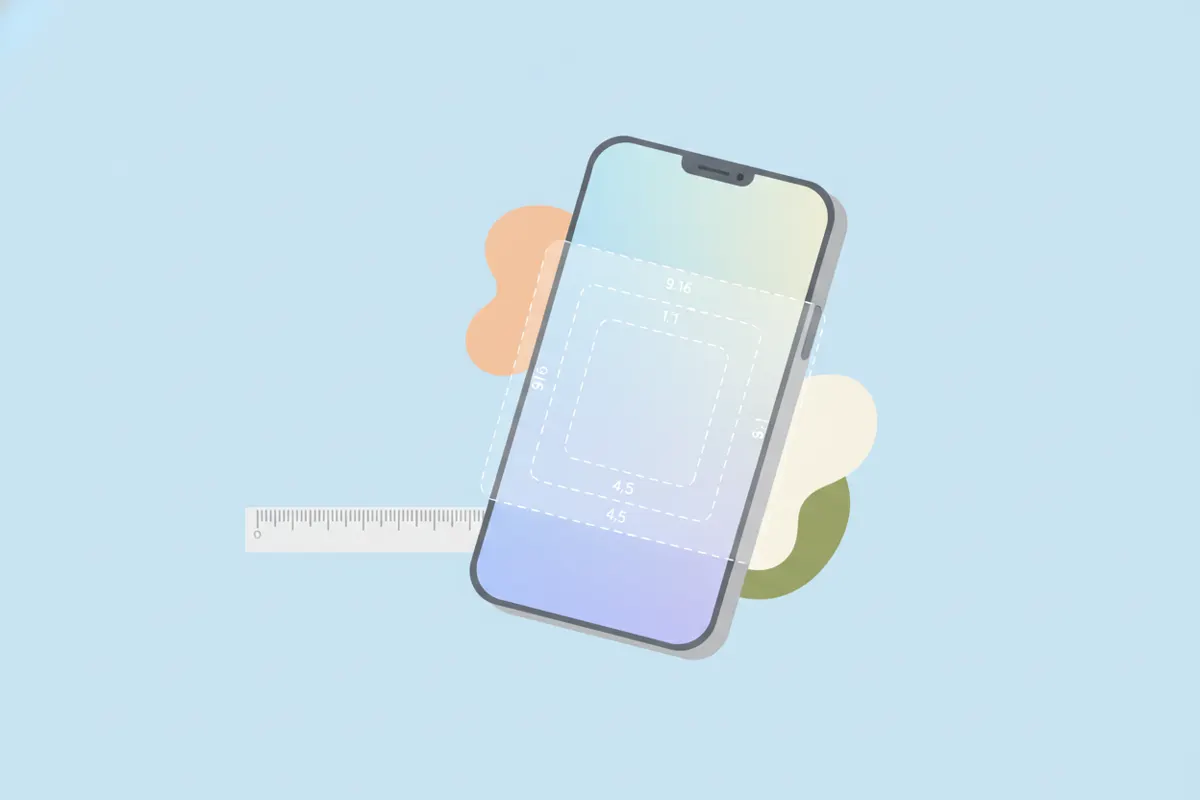
| Aspect ratio | 9:16 recommended (full-screen vertical); Graph API accepts 0.01:1 to 10:1 |
| Resolution | 1080x1920 (9:16) standard; Meta's Reels-ad spec recommends 1440x2560; Graph API max width 1920 px |
| Max file size | 300 MB (Graph API Reels container); 4 GB (Reels ads); the app's own cap is not published |
| Frame rate | 23-60 fps (Graph API) |
| Formats / codecs | MP4 or MOV (moov atom at front, no edit lists); video H.264 or HEVC, progressive, closed GOP, 4:2:0; audio AAC <=48 kHz, mono/stereo, 128 kbps; video bitrate <=25 Mbps VBR (Graph API) |
| Captions | Auto-generated captions available in-app via the Captions sticker in the Reels editor (rolled out March 2022; ~17 languages) and viewers can toggle CC on reels; no SRT upload for organic reels; Reels ads: captions optional but recommended. Most creators burn captions in - keep them inside Meta's safe zone |
| Safe zones | Meta ads guide for Instagram Reels: leave ~14% of the top, ~35% of the bottom and ~6% of each side free of text/logos/key creative (on 1080x1920 that is roughly 269 px top, 672 px bottom, 65 px each side) to avoid the profile icon, caption, audio and CTA overlays |
Sources: https://developers.facebook.com/docs/instagram-platform/instagram-graph-api/reference/ig-user/media · https://www.facebook.com/business/ads-guide/update/video/instagram-reels · https://www.threads.com/@mosseri/post/DE-efFqyStv · https://petapixel.com/2025/11/25/instagram-updates-camera-so-you-can-film-20-minute-reels/ · https://techcrunch.com/2022/03/01/instagram-is-rolling-out-auto-generated-captions-for-videos/. Specs change - verify in the platform's help center before a big upload.
Instagram Reels: Spesifikasi Video Utama 2026
- Durasi Maksimal: Hingga 20 menit jika direkam langsung di kamera Instagram (per Nov 2025), namun upload lewat API dan iklan dibatasi 15 menit. Instagram menyarankan durasi di bawah 3 menit agar jangkauan maksimal.
- Rasio: Vertikal 9:16 adalah standar dan sangat direkomendasikan untuk tampilan layar penuh. API mendukung rasio 0.01:1 hingga 10:1, tapi 9:16 paling pas di Instagram.
- Resolusi: 1080x1920 piksel adalah standar. Untuk iklan, Meta merekomendasikan hingga 1440x2560 px. API maksimal lebar 1920 px.
- Ukuran File: 300 MB (API), 4 GB (iklan). Batas aplikasi tidak dipublikasikan, tapi sebaiknya tetap di bawah 300 MB.
- Frame Rate: 23 - 60 fps (spesifikasi API).
- Format: MP4 atau MOV. Gunakan video H.264 atau HEVC, progressive scan, 4:2:0 chroma, closed GOP. Audio wajib AAC, hingga 48 kHz, mono atau stereo 128 kbps.
Caption dan Aksesibilitas
- Instagram bisa membuat caption otomatis di aplikasi lewat stiker Captions (mendukung 17+ bahasa).
- Tidak bisa upload file SRT untuk Reels organik; jika ingin gaya custom, caption harus dibakar langsung di video.
- Penonton bisa mengaktifkan/mematikan caption demi aksesibilitas.
Safe Zone: Pastikan Teks Tetap Terlihat
Agar teks dan grafis utama tidak tertutup overlay (ikon profil, caption, CTA), hindari area berikut:
- Atas 14% (~269 px pada 1080x1920)
- Bawah 35% (~672 px)
- Sisi kiri/kanan 6% (~65 px)
Ini memastikan caption dan info penting tetap terlihat di sebagian besar perangkat.
Cara Ekspor Video Agar Pas untuk Instagram Reels
- Edit video ke format vertikal 9:16 dan resolusi 1080x1920 sebelum ekspor.
- Set frame rate ke 30 fps agar kompatibel, tapi hingga 60 fps juga diterima.
- Pastikan ukuran file di bawah 300 MB agar upload lancar.
- Bakar caption jika ingin gaya custom, dan posisikan di safe zone.
- Pakai alat seperti Vidulk’s AI Clipper (iOS & Android) untuk otomatis menemukan momen terbaik dari video panjang dan ekspor klip vertikal dengan caption, siap untuk Instagram Reels, TikTok, dan YouTube Shorts.
Selalu Cek Update Terbaru
Spesifikasi Instagram bisa berubah sewaktu-waktu. Sebelum upload penting, cek syarat terbaru di pusat bantuan Instagram atau dokumen developer.
Ekspor klip otomatis sesuai spesifikasi Reels — Vidulk langsung framing 9:16, caption, dan potong durasi. Gratis di iOS & Android.
VidulkFAQ
Berapa durasi maksimal Instagram Reels di 2026?
Hingga 20 menit jika direkam di kamera Instagram; 15 menit lewat API atau untuk iklan. Disarankan di bawah 3 menit agar jangkauan lebih luas.
Rasio dan resolusi apa yang ideal untuk Reels?
Gunakan rasio 9:16 dan resolusi 1080x1920 agar hasil maksimal dan tampil layar penuh.
Bagaimana cara menambahkan caption di Instagram Reels?
Gunakan stiker Captions di editor Instagram Reels untuk caption otomatis, atau bakar langsung ke video sebelum upload.
Format dan ukuran file apa yang terbaik untuk Instagram Reels?
Ekspor sebagai MP4 (H.264/HEVC) atau MOV, di bawah 300 MB untuk upload standar, dengan audio AAC hingga 48 kHz.
Bagaimana cara cepat membuat Reels dari video panjang?
Gunakan Vidulk’s AI Clipper (iOS/Android) untuk mencari highlight dan ekspor klip vertikal dengan caption, siap untuk Instagram Reels.