
Πώς να Φτιάξετε Δωρεάν Ψεύτικο Βίντεο Συνομιλίας iMessage
Για να δημιουργήσετε ένα ψεύτικο chat ή βίντεο ιστορίας μηνυμάτων iMessage που μοιάζει αληθινό, χρησιμοποιήστε ένα σενάριο και ένα εξειδικευμένο εργαλείο όπως το Vidulk για να ζωντανέψετε τη συνομιλία με ρεαλιστικά γραφικά και ήχους iPhone.
Start from a template
All templates →Fake Chat Video Generator
Build a realistic conversation, then download it as a video (with typing + sounds) or a screenshot. Free, in your browser — nothing is uploaded.
Script import & bulk exportpaste a script instead of typing
Reading a script into the editor is free. Downloading up to 10 videos at once needs a PREMIUM code.
1. Get scripts from ChatGPT, Claude or any AI
Say what the videos are about. Copy the prompt, paste it into your AI, then paste its answer below.
2. Paste the scripts
Writing them yourself? See the format
- Start each video with a line like
=== 1 ===. - One
label: textper line.title:names the file. - Use
me:for messages I send andthem:for messages from the other person. - Put
contact:(the other person's name) near the top of each script. - You may add
platform:with one of: imessage, whatsapp, instagram, tiktok, messenger, telegram, android-sms, discord, twitch, snapchat, signal, line, tinder, bumble, onlyfans, slack, teams. - You may add
dark mode:yes or no, andtime:such as Today 2:02 PM. - Write 6 to 14 short messages per script, the way people really text.
Alex
iMessage
Today 2:02 PM
vidulk.com
Video background
PREMIUMPut your video on a moving background, the format story channels use.
Free to preview. Downloading with a background needs a . The free download saves your video without it.
Gameplay, b-roll, anything you have the rights to. It stays on your device.
Get a premium code
- No watermark on videos and screenshots
- Video backgrounds, including your own footage
- Bulk export: up to 10 videos at once
- Works on every Vidulk tool, on the site and in the Chrome extension
Secure payment via Stripe · no account · one code unlocks everything premium
How it works
- Pick a premium code and pay with Stripe. No account or login needed.
- Your code (VID-…) appears right after payment and is emailed to you.
- Paste it in the “Have a code” box and click Apply. Everything premium is unlocked from then on.
- The same code works on every Vidulk tool, on vidulk.com and in the Vidulk Chrome extension, on any device — just paste it again.
- The 24-hour pass runs for a day from purchase and never counts down. Monthly renews each month until you cancel, which you can do any time from this panel; the rest of the month stays yours.
- Unlimited is a one-time lifetime license: it never expires and there is nothing to renew.
- Keep your code private — it is the only thing that unlocks your purchase. Sharing a code is against our Terms of Use: a shared code is invalidated, without refund. Codes do not work in the mobile app.
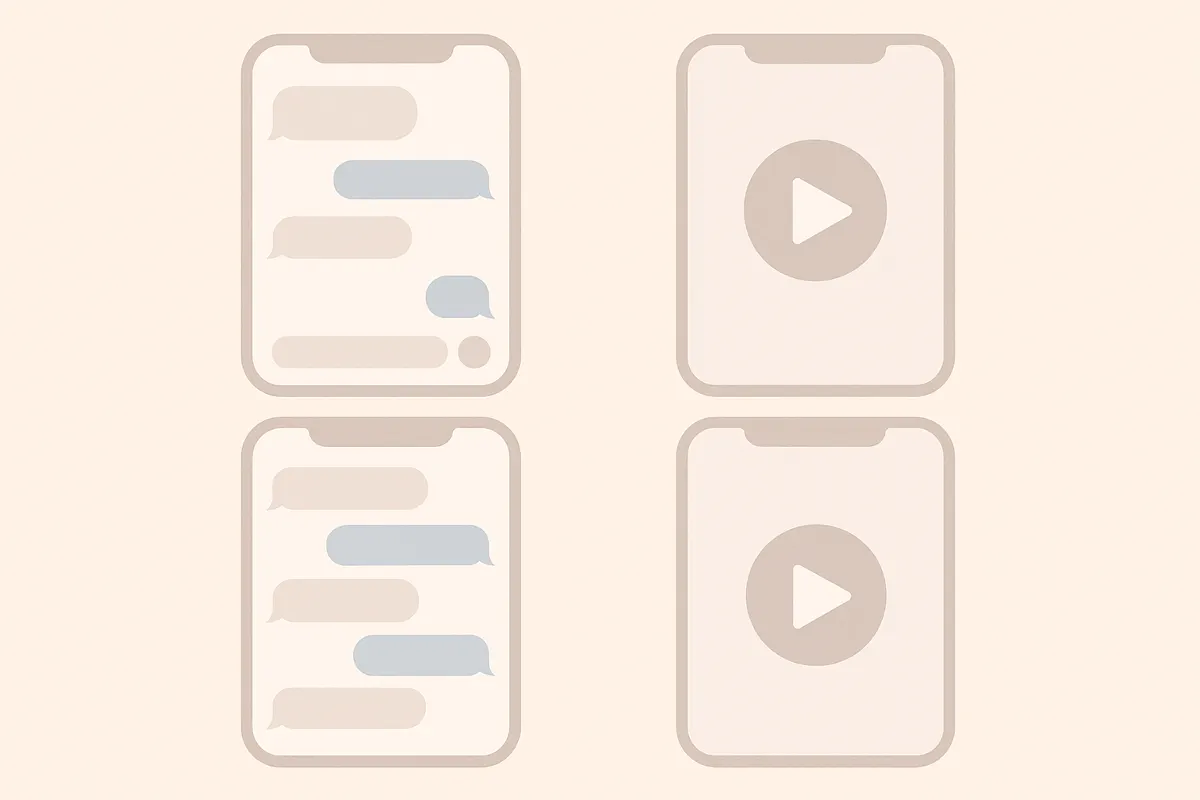
Τι Είναι το Ψεύτικο Βίντεο Ιστορίας iMessage;
Ένα ψεύτικο βίντεο ιστορίας iMessage είναι ένα σύντομο κάθετο βίντεο που προσομοιώνει μια πραγματική συνομιλία στα Μηνύματα iPhone. Περιλαμβάνει μπλε και γκρι φούσκες, αποδείξεις 'Παραδόθηκε' και 'Διαβάστηκε', καθώς και το κινούμενο εικονίδιο πληκτρολόγησης, ιδανικό για αφήγηση ή περιεχόμενο social media.
Προετοιμασία του Σεναρίου της Συνομιλίας
- Αποφασίστε την ιστορία, το θέμα ή το αστείο που θέλετε να πείτε.
- Γράψτε τη συνομιλία, χωρίζοντας κάθε μήνυμα ανά αποστολέα (Εσείς ή Φίλος).
- Προσθέστε παύσεις, αντιδράσεις και ανατροπές για πιο ρεαλιστικό αποτέλεσμα.
Δημιουργία Βίντεο με το Vidulk
- Εγγραφείτε στο Vidulk (δωρεάν με αρχικές μονάδες).
- Επιλέξτε το πρότυπο στυλ iMessage.
- Επικολλήστε ή γράψτε το σενάριο της συνομιλίας, αντιστοιχίζοντας κάθε μήνυμα στη σωστή πλευρά (μπλε για αποστολή, γκρι για λήψη).
- Χρησιμοποιήστε επιλογές για να προσθέσετε το εικονίδιο πληκτρολόγησης, αποδείξεις μηνυμάτων και αυθεντικούς ήχους iPhone.
- Δείτε προεπισκόπηση της κίνησης και ρυθμίστε το χρόνο για φυσική ροή.
Εξαγωγή και Κοινοποίηση του Βίντεο
- Όταν είστε έτοιμοι, εξάγετε το βίντεο σε κάθετη μορφή για TikTok, YouTube Shorts ή Reels.
- Κατεβάστε ή κοινοποιήστε απευθείας στα social media μέσω του Vidulk.
- Αναβαθμίστε μέσα στην εφαρμογή αν χρειάζεστε περισσότερα βίντεο ή μεγαλύτερες ιστορίες.
Δημιουργήστε το δικό σας σε λίγα λεπτά – το Vidulk μετατρέπει τη συνομιλία σας σε ρεαλιστικό βίντεο, δωρεάν για αρχή.
VidulkΣυχνές Ερωτήσεις
Πώς μπορώ να φτιάξω δωρεάν ψεύτικο βίντεο συνομιλίας iMessage;
Μπορείτε να ξεκινήσετε δωρεάν με το Vidulk χρησιμοποιώντας τις αρχικές μονάδες. Υπάρχουν διαθέσιμες αναβαθμίσεις για μεγαλύτερη χρήση.
Μπορώ να προσθέσω το εικονίδιο πληκτρολόγησης και αποδείξεις μηνυμάτων iMessage;
Ναι. Το Vidulk σάς επιτρέπει να προσθέσετε κινούμενο εικονίδιο πληκτρολόγησης, αποδείξεις 'Παραδόθηκε' και 'Διαβάστηκε' για ρεαλιστική εμφάνιση iMessage.
Σε ποια μορφή αρχείου εξάγει το Vidulk για social media;
Το Vidulk εξάγει σε κάθετες μορφές βίντεο, κατάλληλες για TikTok, YouTube Shorts και Instagram Reels.
Χρειάζομαι γνώσεις επεξεργασίας βίντεο για να χρησιμοποιήσω το Vidulk;
Όχι. Το Vidulk είναι απλό στη χρήση – απλώς γράφετε το σενάριο, επιλέγετε στυλ και η εφαρμογή δημιουργεί το βίντεο συνομιλίας για εσάς.
Μπορώ να προσαρμόσω το χρόνο και τα ηχητικά εφέ;
Ναι, μπορείτε να ρυθμίσετε το χρόνο των μηνυμάτων και να ενεργοποιήσετε ήχους μηνυμάτων iPhone για πιο αυθεντικά βίντεο συνομιλίας.